← all work

$ open ./work/pcc-forms

PCC Forms

The app that took a concrete construction company of about 200 people from paper to digital. I built all of it alone, from the SwiftUI screens on iPhone and iPad to the API and database.

people using it

~200

documents a week

~100

platforms

iPhone · iPad · Android · web

team

1 developer (me)
Dec 2024 – Dec 2026

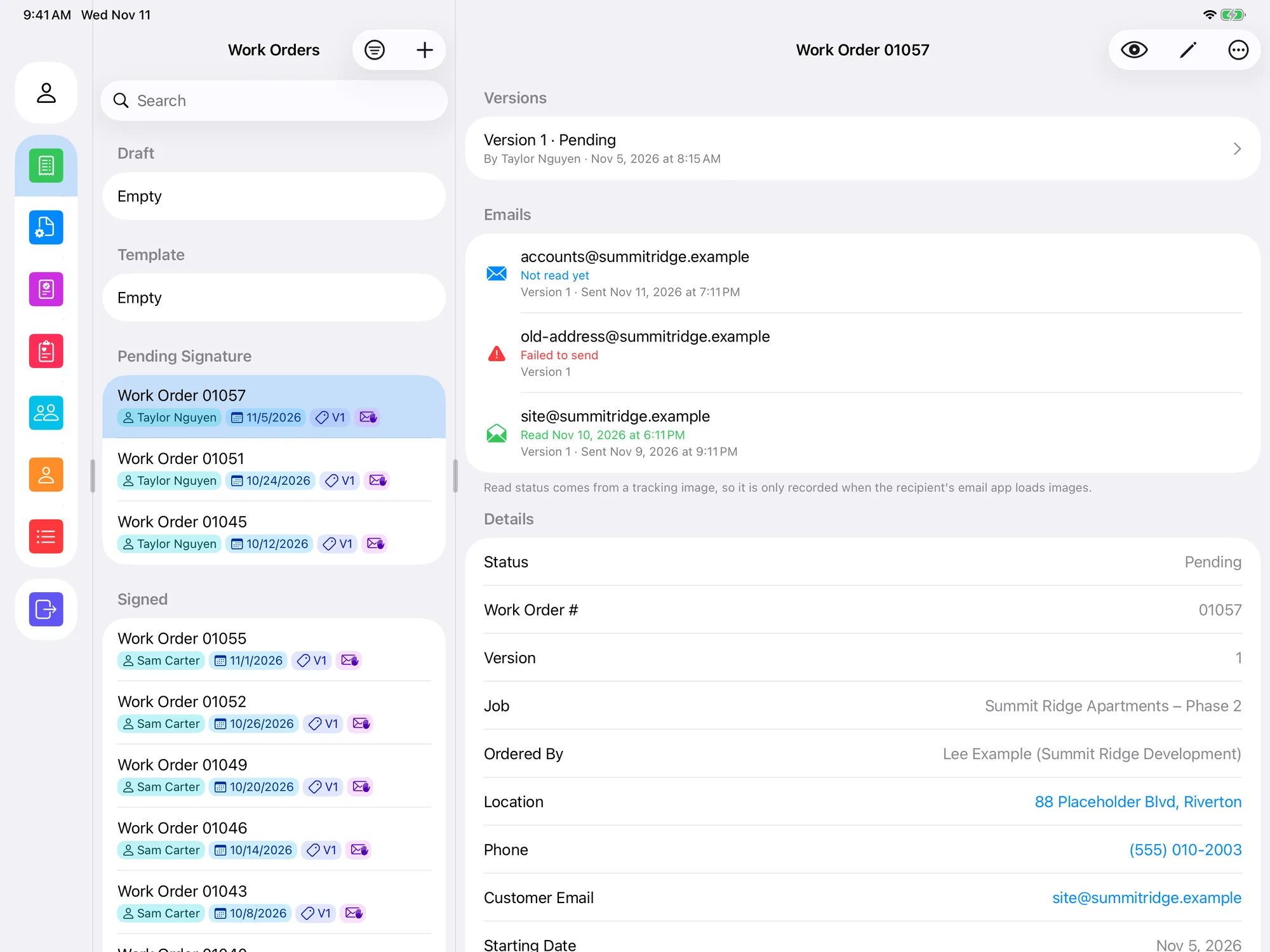
PCC Forms on iPad in landscape: a column of section icons, the work orders list grouped by status, and the open work order with its versions, emails and details
On iPad, the sections, the list and the open work order sit side by side. The detail panel shows every version, every email sent for the order and whether it was read.

// the problem

before the app

Precision Concrete Construction works on concrete job sites, and every job produced paperwork: a work order with the labor, equipment and materials used, signed by the customer; a daily check of each machine before it starts; and safety talks that the whole crew signs.

All of this was on paper. Now about 100 documents go through the app every week: around 50 work orders, 20 equipment checklists and 30 safety documents.

// what it does

four kinds of documents, one app

Work orders

The crew fills in the job, labor, equipment, materials and photos on site.

  • The customer signs on the device, or later from a link sent by email
  • Unsigned orders send automatic reminders, which can be muted
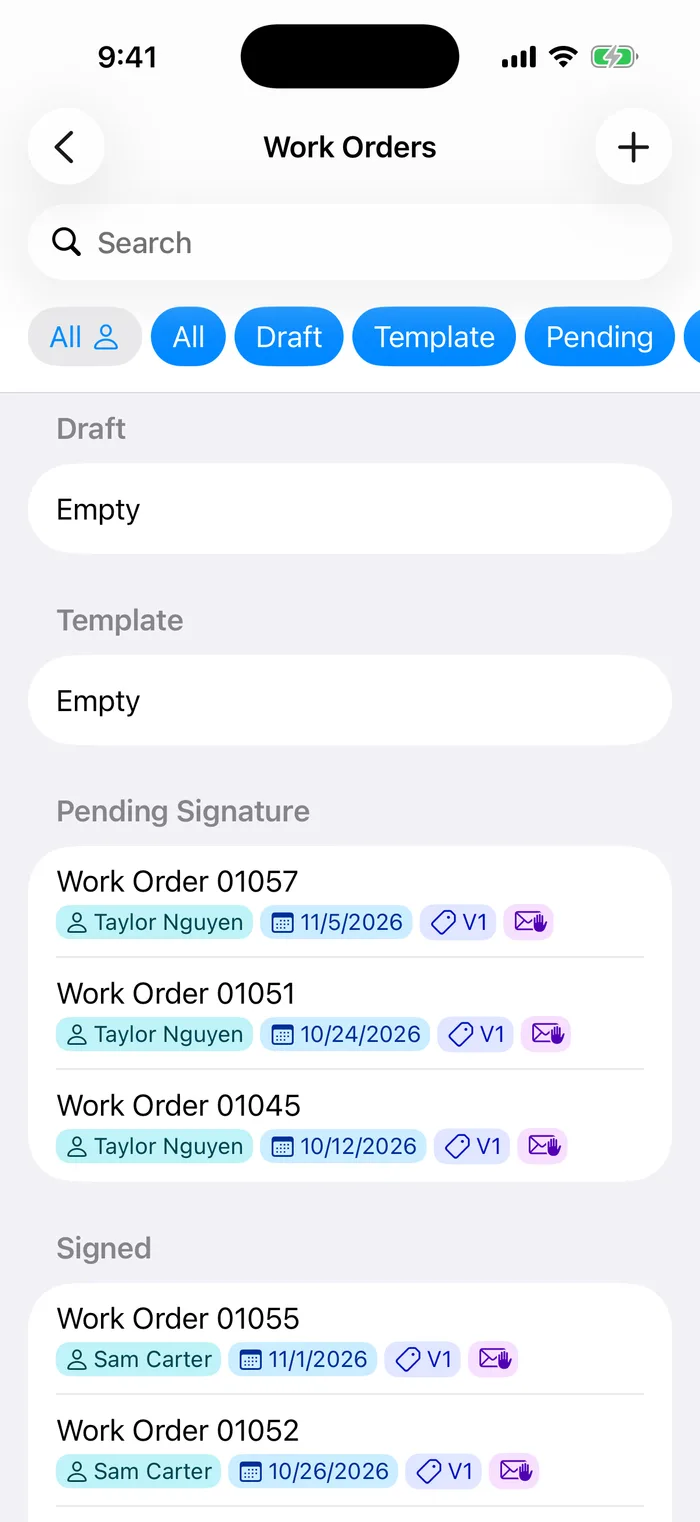
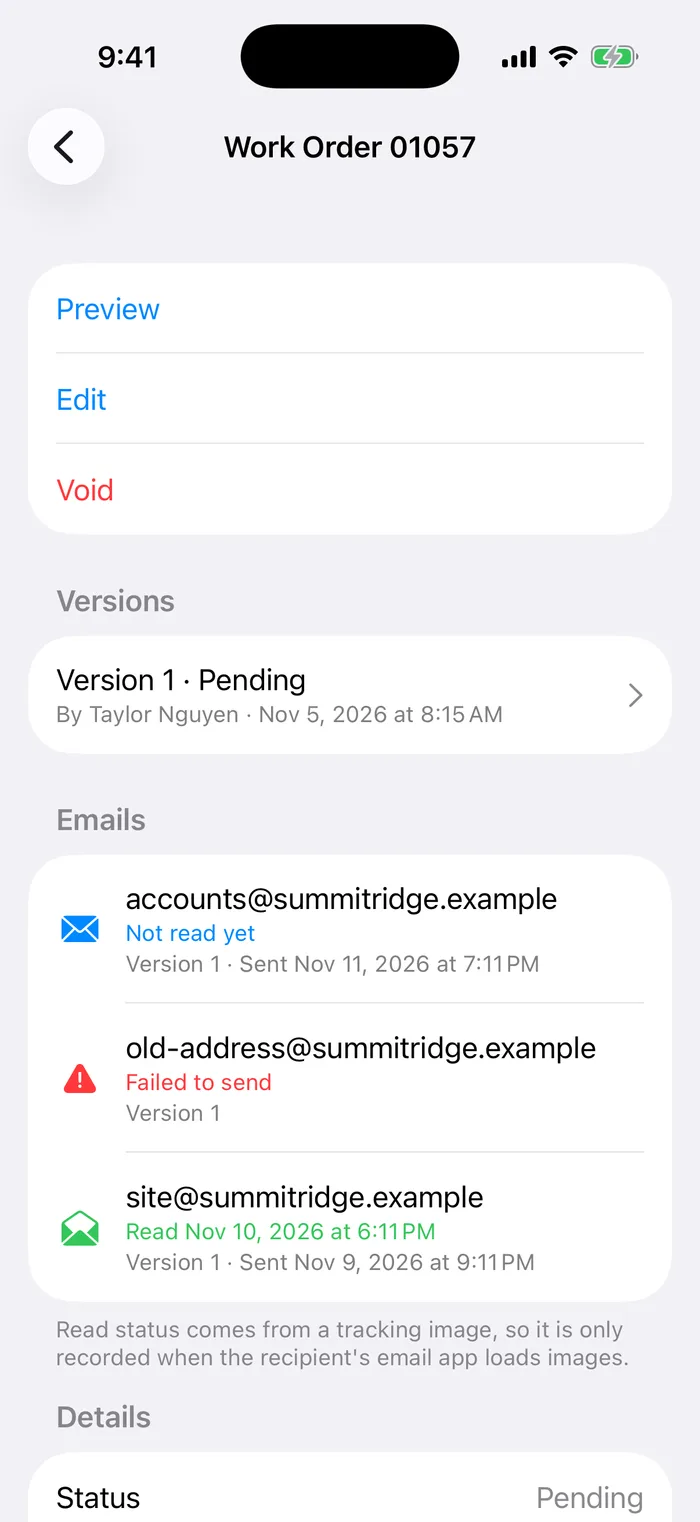
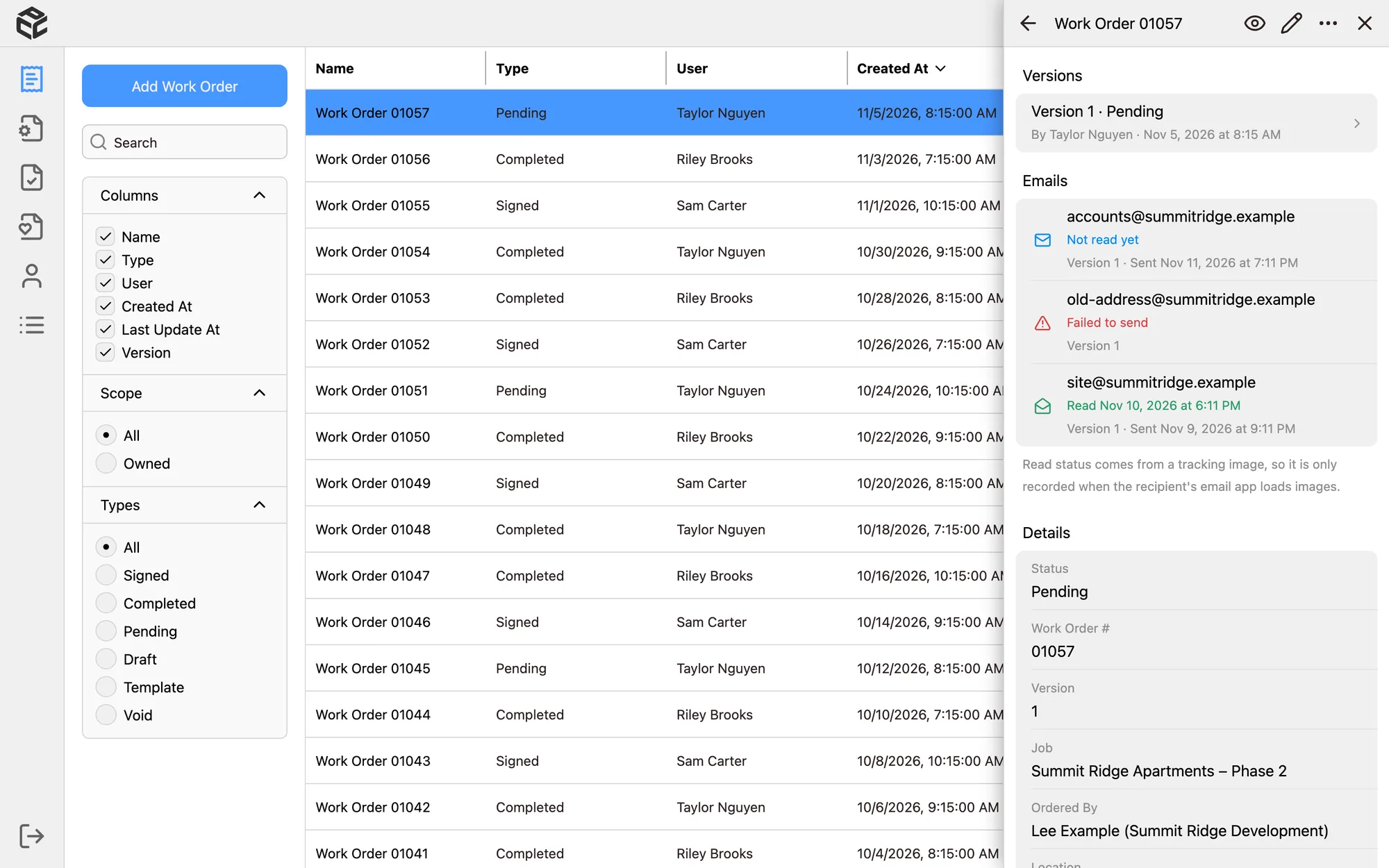
  • Each email shows whether it was sent, failed or read
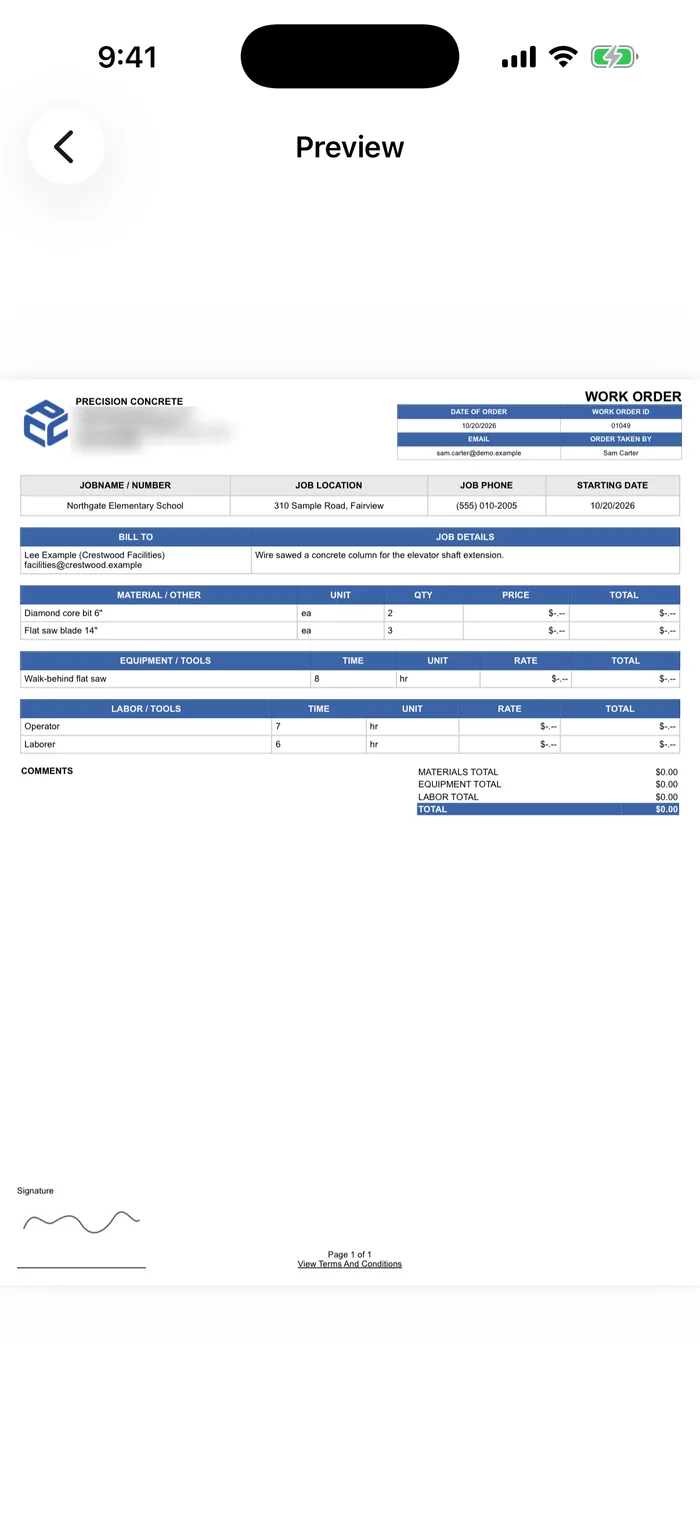
  • Each order becomes a PDF, plus a second copy with prices hidden for the crew
Equipment checklists

A daily check for each truck, saw and machine, with three checklist types for different equipment.

  • Pass or fail for every item, with comments and photos
  • A failed check is flagged and needs a repair sign-off

Safety talks

Toolbox talks that the foreman runs with the crew, chosen from 55 templates.

  • Talks can be scheduled ahead of time
  • The crew signs, and the template is merged into one signed PDF

Admin tools

The office runs the app without asking a developer.

  • Users, crews and 9 roles with 61 permissions
  • Custom lists (job sites, clients, materials) with their own fields
  • Every document keeps its versions, and can be voided and restored

// screens

demo data, not real customers

ipad

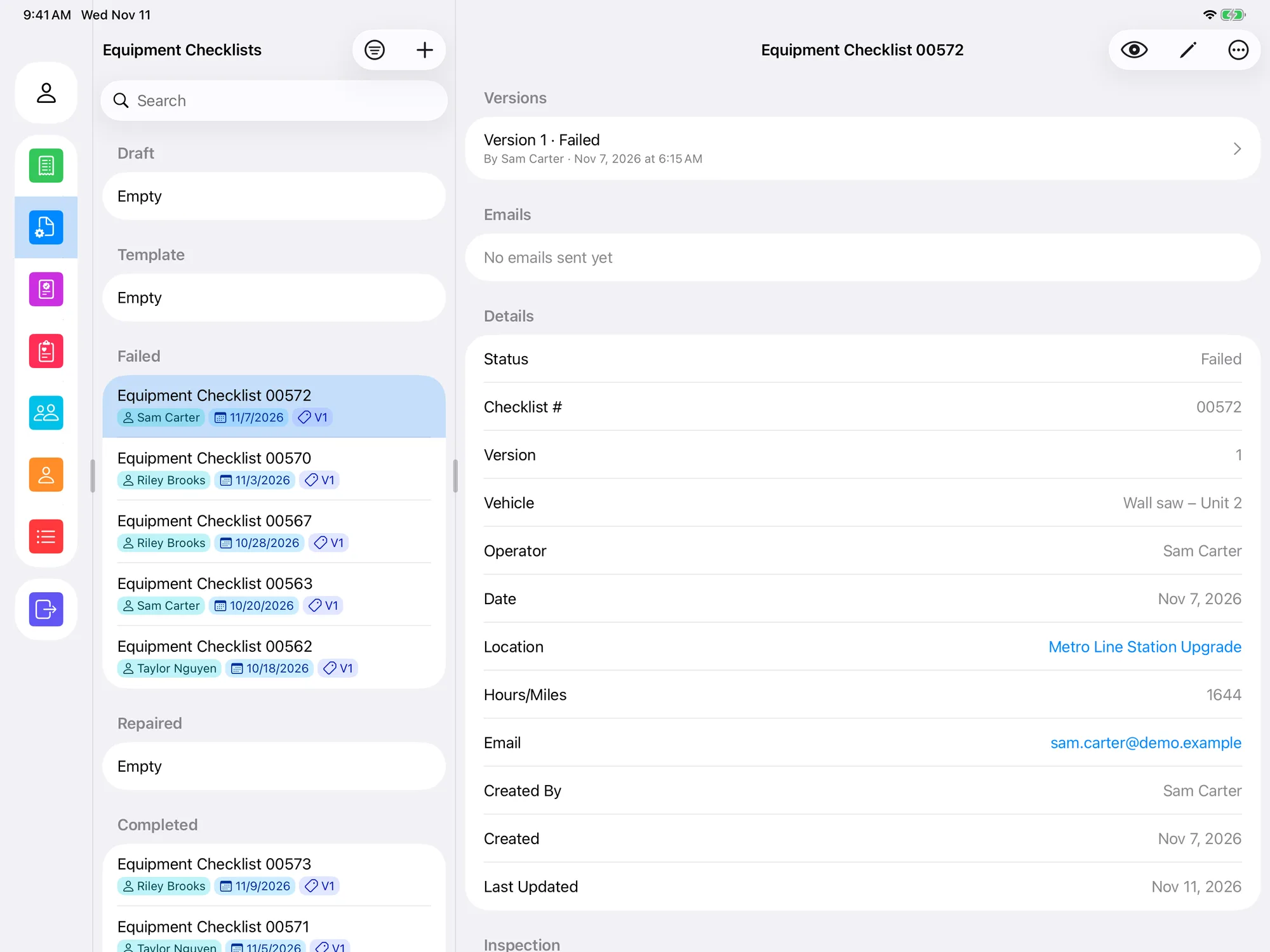
Equipment checklists on iPad with failed checklists grouped at the top and a failed checklist open
Failed equipment checks are grouped at the top until someone signs off the repair.
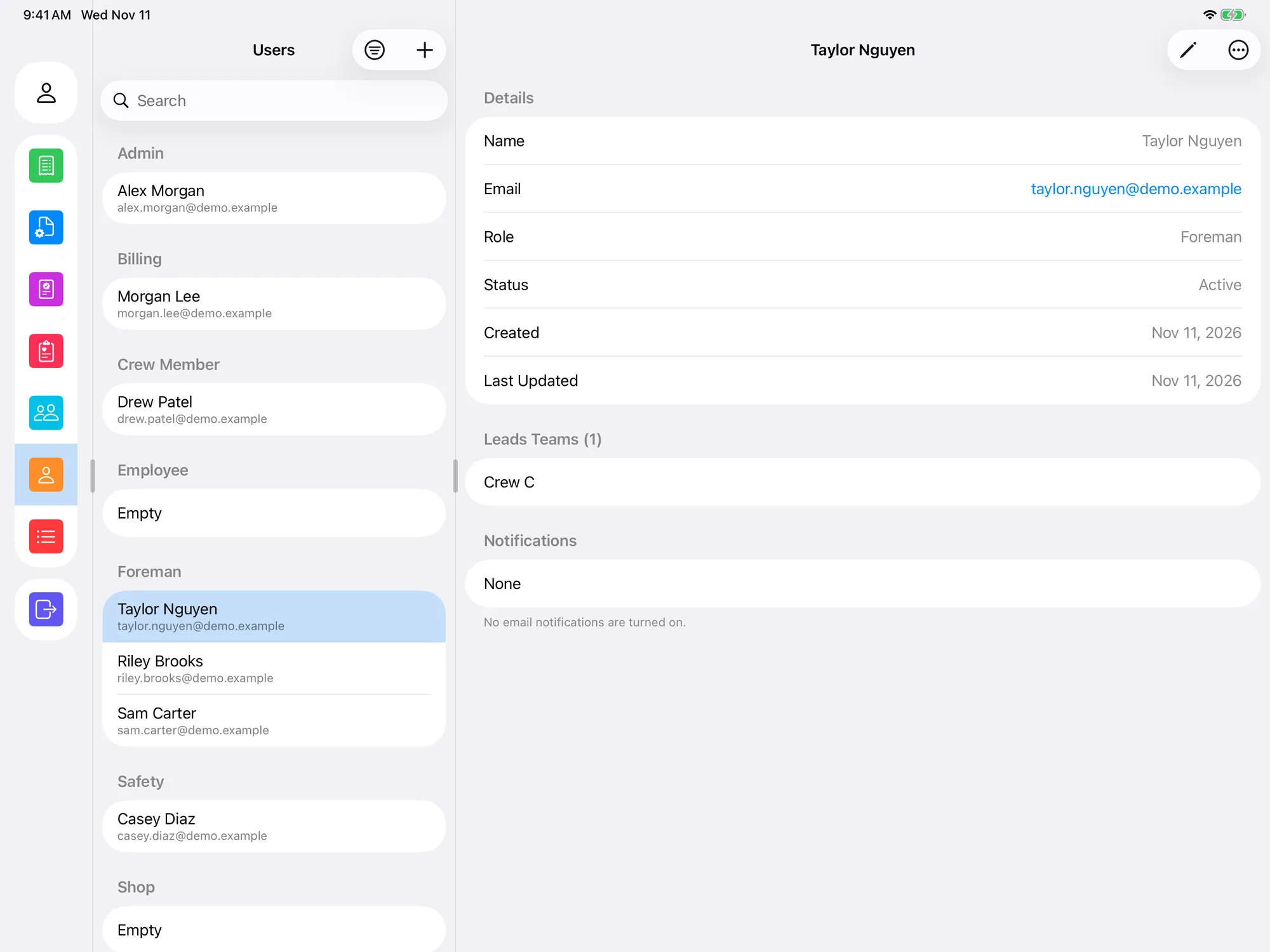
Users on iPad grouped by role, with a foreman's details and the crew they lead
Users grouped by role, with the crews each foreman leads.

iphone

Work orders list on iPhone, grouped into Draft, Template, Pending Signature and Signed, with crew member, date, version and email tags
Work orders on iPhone, grouped by status.
Work order detail on iPhone with Preview, Edit and Void actions, versions and email status
The same detail screen on iPhone, with preview, edit and void.
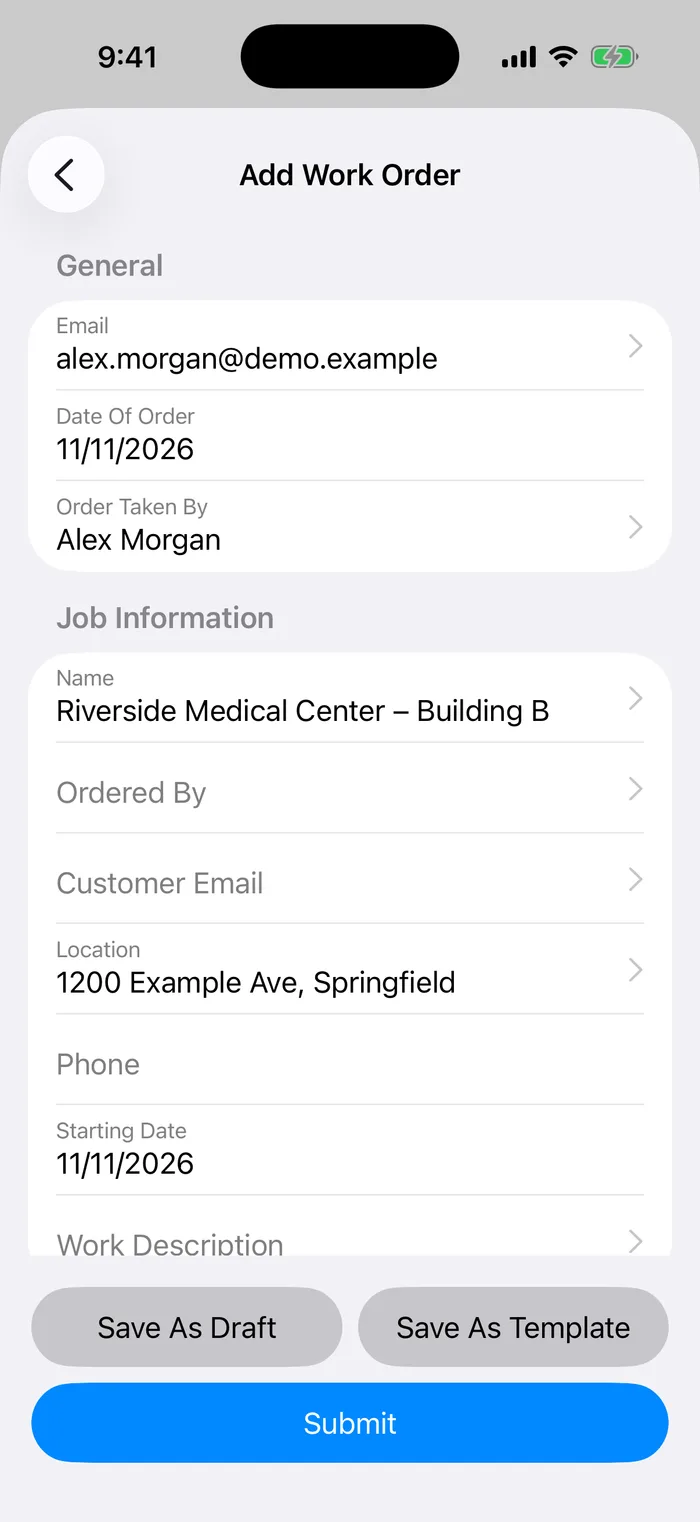
New work order form on iPhone with General and Job Information sections
New work order, built with native SwiftUI controls. Picking a job site fills in its address.
A signed work order PDF shown in the app's native PDF viewer
The signed work order as a PDF, in my own PDFKit viewer.

web

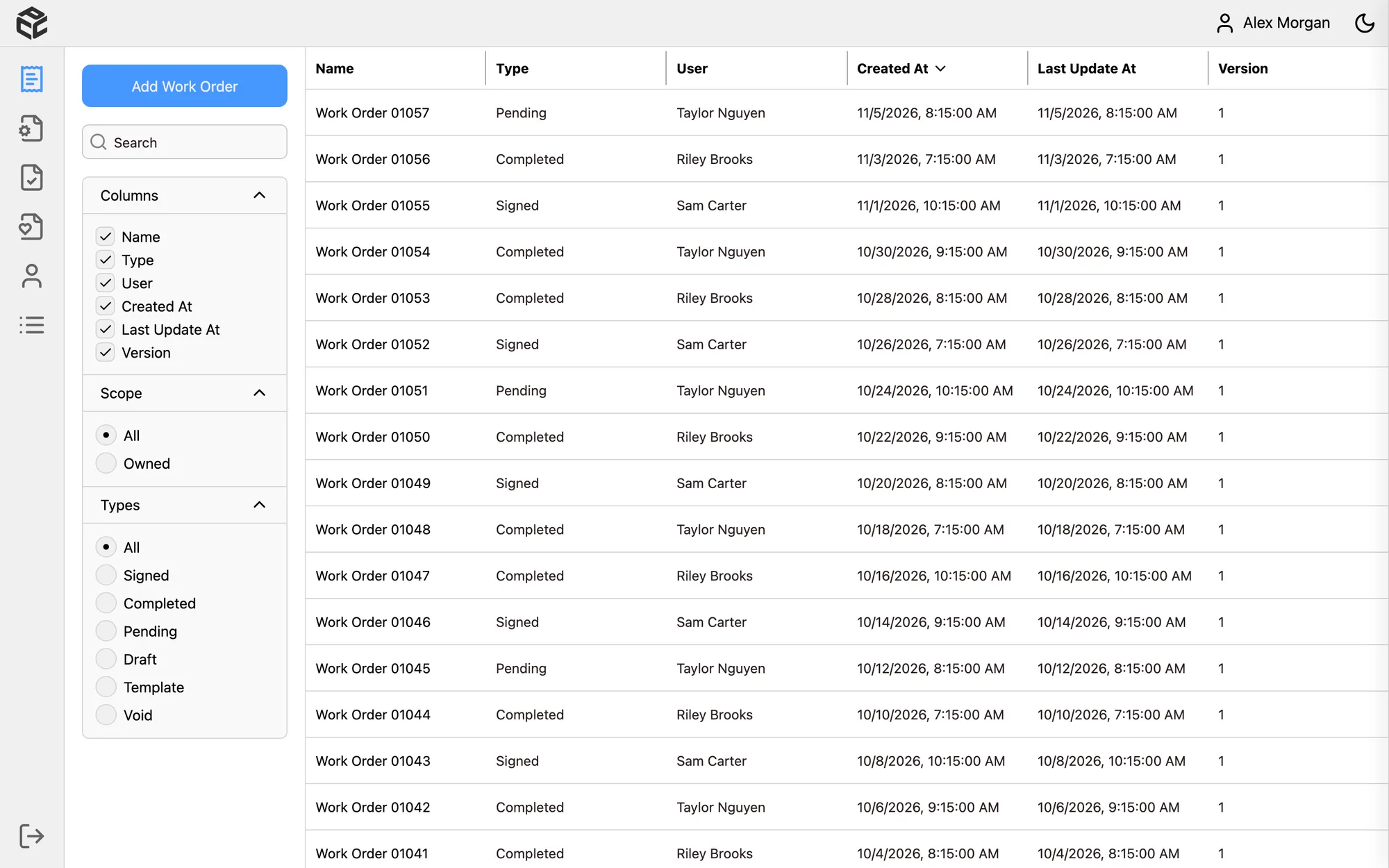
Web version of PCC Forms: work orders table with column, scope and type filters
The web version for the office: sortable, resizable columns and infinite scroll.
Web work orders table with a side panel showing the selected order's versions, emails and details
On the web, the same detail panel opens next to the table.
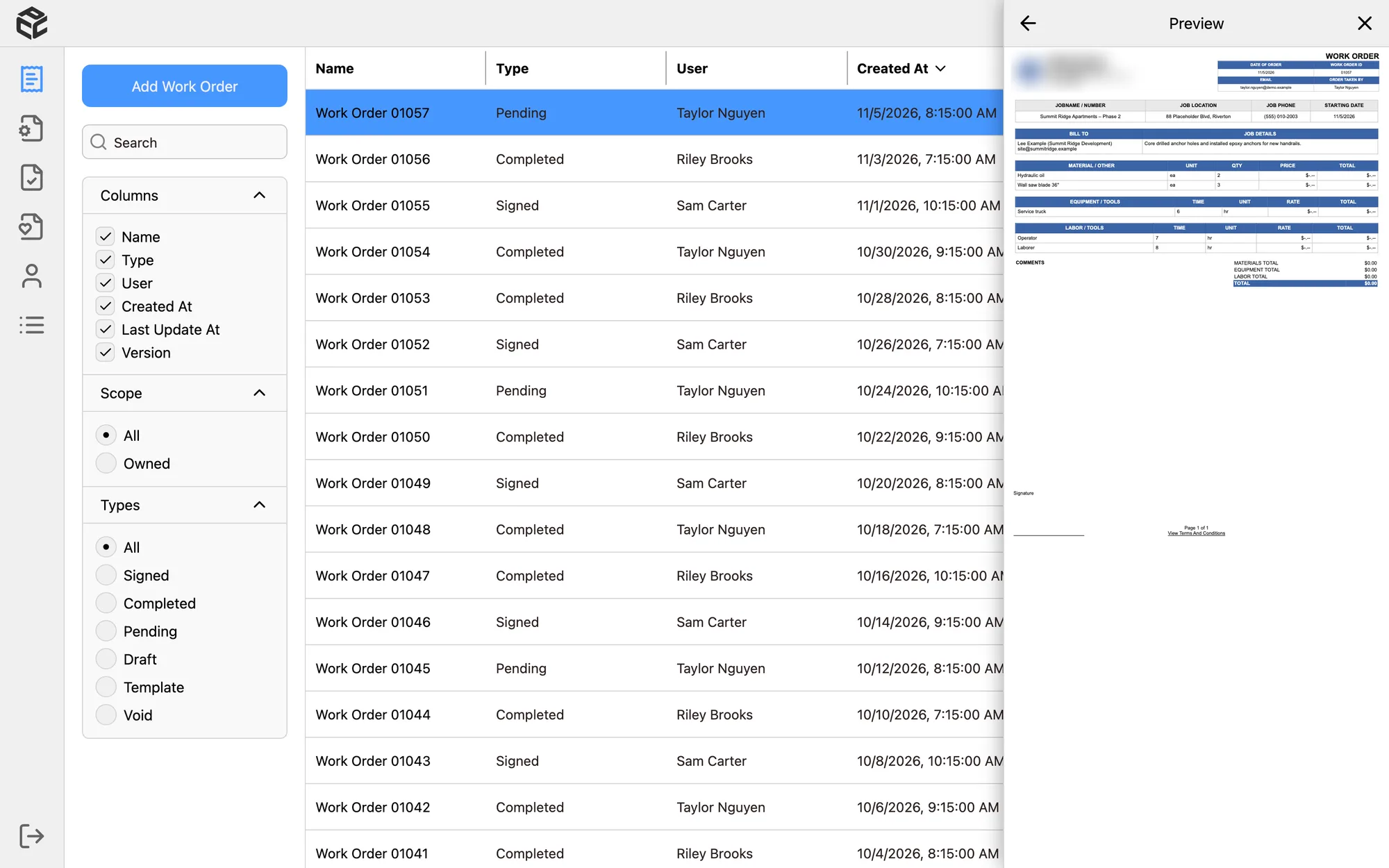
Web work orders table with a side panel previewing the work order PDF
The PDF preview, one click from the panel.

// how it works

architecture
app   expo router · react native · one codebase
      ├─ iPhone / iPad  SwiftUI screens via Expo UI + my own Swift module
      │                (signature pad, PDF viewer, skeleton loading)
      └─ Android / web  Tamagui components
      forms: React Hook Form + Zod · data: TanStack Query
            │
            │  REST + WebSockets (live updates)       push notifications · OTA updates
            ▼
api   fastify · zod · JWT sessions · role-based permissions
      ├─ postgresql  prisma, versioned submissions stored as JSON
      ├─ pdfs        handlebars templates rendered with playwright
      ├─ email       microsoft graph (signing links, reminders)
      └─ jobs        cron reminders for unsigned work orders
            │
            ▼
azure web app deployed by GitHub Actions · API in Docker

// hard parts

what I'd talk about in an interview

Native on iOS, one codebase

On iPhone and iPad, the screens use real SwiftUI through Expo UI, in separate .ios.tsx files, so the app feels native. Where Expo had no component, I wrote my own Swift module: a signature pad, a PDF viewer built on PDFKit, and skeleton loading. Android and web share the same logic with Tamagui components.

A real iPad layout

On iPad the sections, the list and the open document sit side by side, in three columns. The divider is a pan gesture built with Reanimated and Gesture Handler, so it resizes smoothly, and the layout falls back to a normal stack on iPhone.

Documents people can trust

A signed work order is a legal record. Every change creates a new version instead of overwriting the old one, documents can be voided and restored, and each signed version is rendered to PDF on the server. The crew gets a second copy with prices removed.

Permissions for 9 roles

Admins, superintendents, foremen, safety and billing staff all see different things. Roles and 61 permissions live in the database, travel with the login token, and decide what each person can see and do in the app.

Signing without the app

When the customer isn't on site, they get an email with a personal signing link that expires. Until they sign, the server sends reminders on a schedule, and the office can mute them for a single order.

// stack

tools
app
expo sdk 58, expo router, react native, expo ui (swiftui), tamagui, react hook form, zod, tanstack query
native
swift, swiftui, pdfkit, expo modules core
api
fastify, prisma, postgresql, zod, jwt, websockets
documents
handlebars, playwright (pdf), sharp (images)
platform
azure, docker, github actions, expo push notifications, expo updates, microsoft graph

Built for Intra Managements and its client Precision Concrete Construction, and shown here with their permission. The source code is private, and the screenshots use invented demo data, not real customers or employees.